
Mastering Access Token Acquisition: The authorization code flow
How to use the authorization code flow in getting an access token
Access token
Authorization
OAuth 2.0
This blog post is part of a series. In this one we’ll highlight the usage of a refresh token. Check out the other posts about the other authorization flows:
So you’ve created a cool, awesome application that uses the authorization code flow and obtained an access token for its use. But what if this access token expires after an hour? Are you going to have the user run the whole flow all over again to get a new token? And this every hour?
Fortunately, there is such a thing as the refresh token. A refresh token is a token that is valid longer than an access token and is usually valid for 90 days. You cannot use a refresh token to authenticate, but you can use it to request a new access token.
A refresh token is not given by default, you have to explicit ask it and this by adding offline_access to the scope body parameter. So for instance if your scope consists of https://graph.microsoft.com/.default, you will only get an access token but no refresh token. By changing your scope to https://graph.microsoft.com/.default offline_access, you will be getting back an access token and a refresh token. But be aware that not every authorization flow can return a refresh token. For instance the authorization code flow can return an refresh token but the client credentials flow wont return a refresh token because you can get your access token directly while using client id and client secret.
So how do we do that? We can do this by doing a post request to the token endpoint with the following body:
https://graph.microsoft.com/.default. Please notice that you don’t have to add offline_access anymore to this scope because the type of call to this endpoint always returns a new refresh token.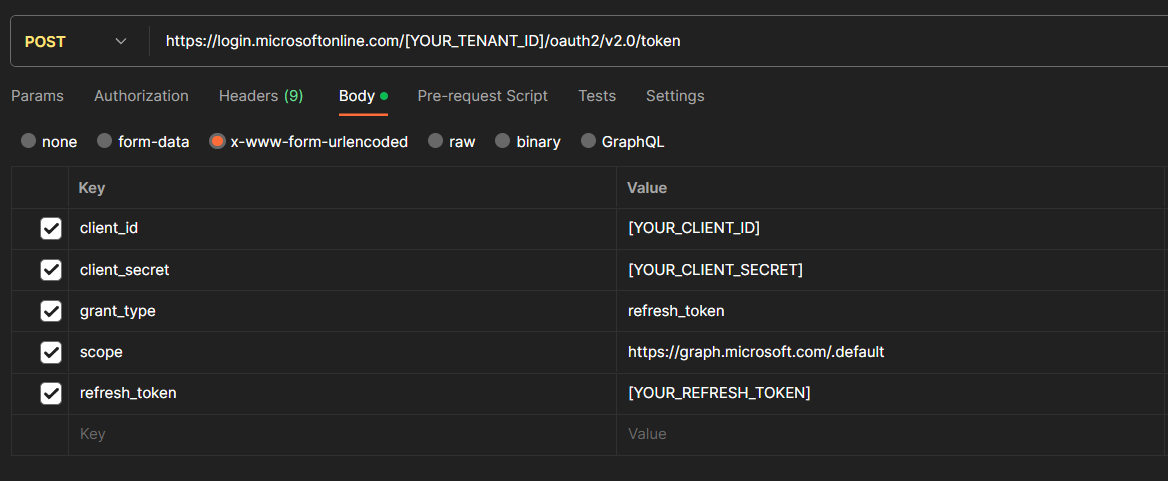
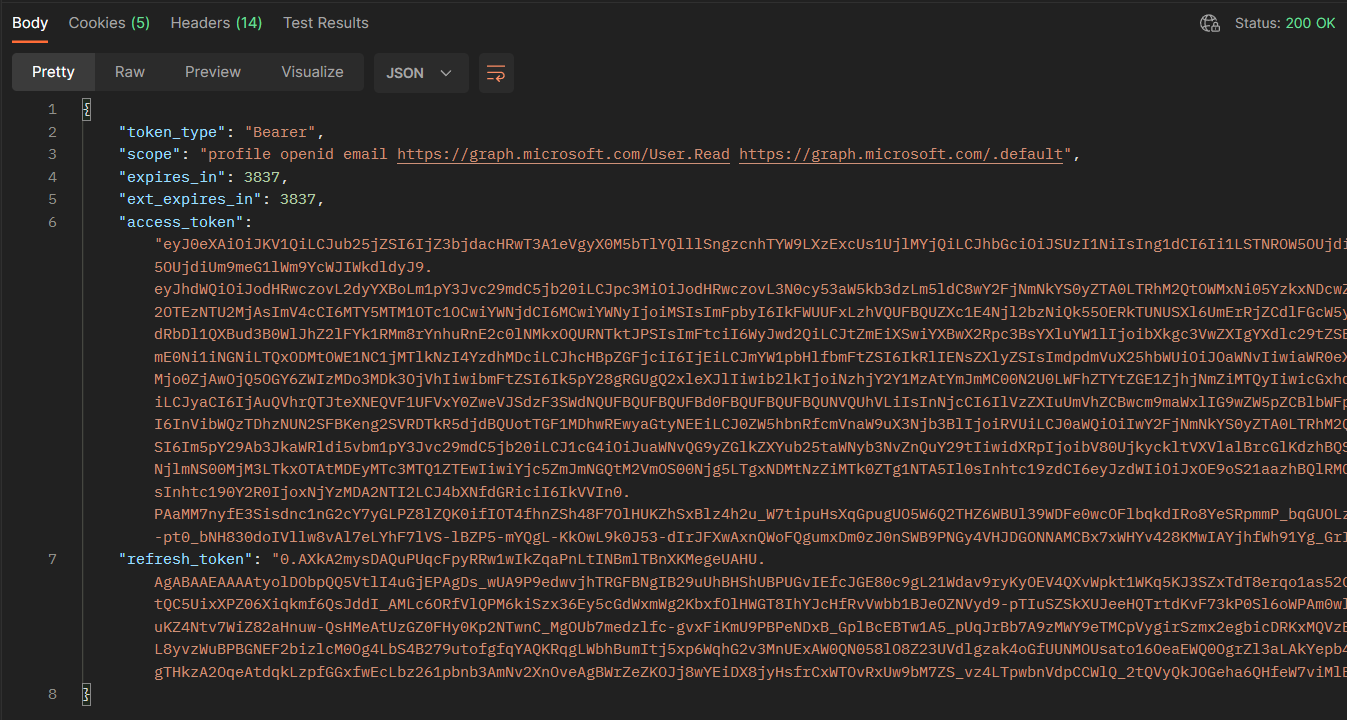
If everything goes right, you get a json back which contains your access token and a new refresh token:
How to use the authorization code flow in getting an access token

This post explains step by step how to authenticate against Microsoft Dynamics platform using Postman to test its APIs